OpenAI’s ChatGPT has rolled out updates that significantly enhance its user interface, moving beyond purely text-based interactions to offer a more intelligent and dynamic user experience through interactive responses.
This evolution marks a notable shift from the traditional turn-by-turn text chat model that defined early conversational AI. Instead of merely presenting static blocks of generated text, the updated interface now often incorporates elements that allow users to directly engage with the AI’s output. These interactive components can manifest in various forms, from clickable buttons that offer follow-up actions or clarifications, to dynamic visual elements like charts and graphs that can be further explored or modified within the conversation window.
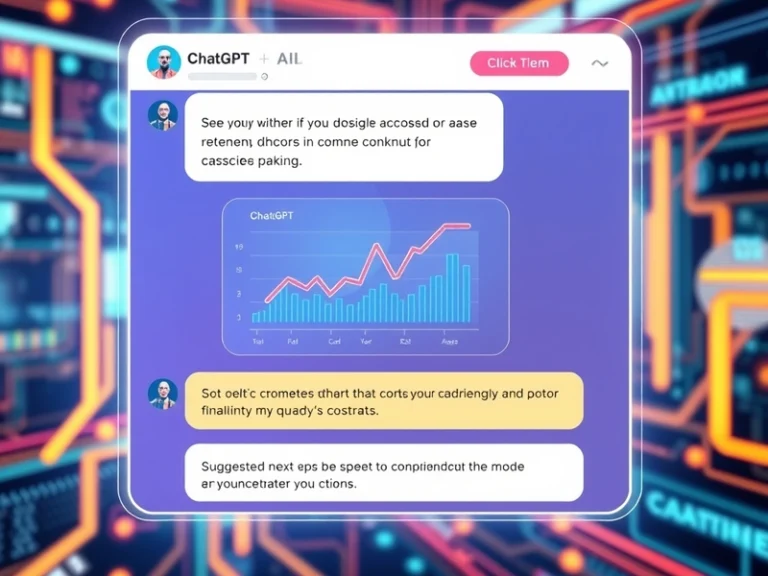
The core idea behind these “intelligent UI” enhancements is to streamline the user’s workflow and reduce the cognitive load associated with purely textual exchanges. For instance, if a user asks for data analysis, the AI might not just output raw numbers or a textual summary, but also generate an interactive chart. This chart could include options to filter data, change visualization types, or drill down into specific segments with a simple click, all without the user needing to type out complex prompts for each modification.
Beyond Text: The Evolution of Interaction
The move towards a more interactive interface reflects a broader trend in AI development, where the focus is increasingly on creating seamless, intuitive human-AI collaboration. ChatGPT’s latest UI advancements leverage the underlying model’s understanding to not only generate relevant content but also to anticipate user needs and present the most effective way to interact with that content.
Examples of these interactive elements, drawing from capabilities observed in various iterations and integrations of large language models, include:
- Suggested Next Steps: After answering a query, the AI might present a few clickable buttons with common follow-up questions or related topics, guiding the user towards deeper exploration.
- Dynamic Data Visualization: When dealing with numerical data, the AI can generate interactive tables or charts where users can sort, filter, or expand details directly. This is particularly useful for tasks like financial analysis, market research, or scientific data interpretation.
- Code Interaction: For developers, AI-generated code snippets can sometimes be accompanied by buttons to “run code,” “explain line by line,” or “refactor,” facilitating a more integrated coding workflow.
- Content Refinement Options: When generating creative content like marketing copy or article drafts, the AI might offer choices for tone, length, or style via clickable options, allowing for rapid iteration.
- Structured Input Fields: For complex tasks requiring specific parameters, the AI might dynamically generate input fields or dropdown menus within the chat, ensuring accurate and structured user input.
These features are not merely cosmetic; they represent a fundamental shift in how users can leverage AI. By embedding decision points and interactive tools directly within the conversational flow, the AI becomes less of a passive respondent and more of an active partner, capable of orchestrating a richer, more guided experience.
Implications for User Experience and Beyond
The implications of such an intelligent UI are far-reaching. For everyday users, it translates to faster task completion, reduced ambiguity, and a more intuitive learning curve when interacting with complex AI capabilities. For businesses and developers, it opens up new avenues for building more powerful and user-friendly applications on top of large language models.
The enhanced UI also underscores the growing convergence of AI and traditional software development. The AI is no longer just a backend engine; it’s becoming a frontend designer, dynamically constructing interfaces that are tailored to the immediate context of the conversation. This blurs the lines between a simple chatbot and a fully fledged interactive application, suggesting a future where AI-powered tools are inherently more adaptable and responsive to individual user behaviors and preferences.
As AI models continue to advance in their understanding of intent and context, the sophistication of these intelligent UIs is expected to grow. We are likely to see even more personalized and predictive interfaces that anticipate user needs before they are explicitly stated, offering a truly proactive and adaptive interaction paradigm. This ongoing development positions ChatGPT, and conversational AI more broadly, not just as a tool for generating text, but as a versatile platform for dynamic, intelligent interaction.