The ability to deploy a personalized, 24/7 AI assistant powered by advanced large language models like Anthropic’s Claude, accessible directly through a messaging platform such as Telegram, is now within reach for developers and technically proficient users.
This approach combines the sophisticated conversational capabilities of a leading AI with the ubiquitous accessibility of a messaging app, offering a custom solution for information retrieval, task automation, and interactive problem-solving without relying on a third-party application’s specific features or data policies. By building and hosting their own bot, users gain granular control over the AI’s behavior, data handling, and operational hours.
Why Build Your Own AI Assistant?
While many AI chat applications are available, constructing a private assistant offers distinct advantages:
- Customization: Tailor the AI’s persona, knowledge base, and specific functions to personal or niche requirements. This extends beyond simple prompt adjustments to integrating custom tools or data sources.
- Privacy and Control: User interactions and data are processed and stored on infrastructure managed by the user, providing a higher degree of privacy compared to relying on commercial services. API keys and sensitive information remain under direct control.
- Continuous Availability: A self-hosted solution can be configured for 24/7 operation, ensuring the assistant is always ready to respond, independent of external service downtimes or rate limits imposed by public-facing applications.
- Cost Efficiency: For high-volume or specialized use cases, direct API usage can be more cost-effective than subscription models for commercial AI tools, depending on the chosen hosting and API tier.
The Core Technologies
Building such an assistant primarily leverages two key technologies:
Anthropic’s Claude Models
Claude, developed by Anthropic, is a family of large language models known for their strong performance in reasoning, complex instruction following, and safety. Its capabilities make it suitable for a wide range of assistant tasks, from drafting emails and summarizing documents to brainstorming ideas and answering factual questions. Access to Claude is typically provided through an API, allowing developers to integrate its conversational intelligence into custom applications.
Telegram Bot API
Telegram offers a robust and well-documented Bot API, enabling developers to create bots that can interact with users within the Telegram messaging ecosystem. These bots can send and receive messages, media, and files, create custom keyboards, and even integrate with web services. Its widespread adoption and support for diverse programming languages make it an excellent choice for deploying a personal AI assistant interface.
Architectural Overview
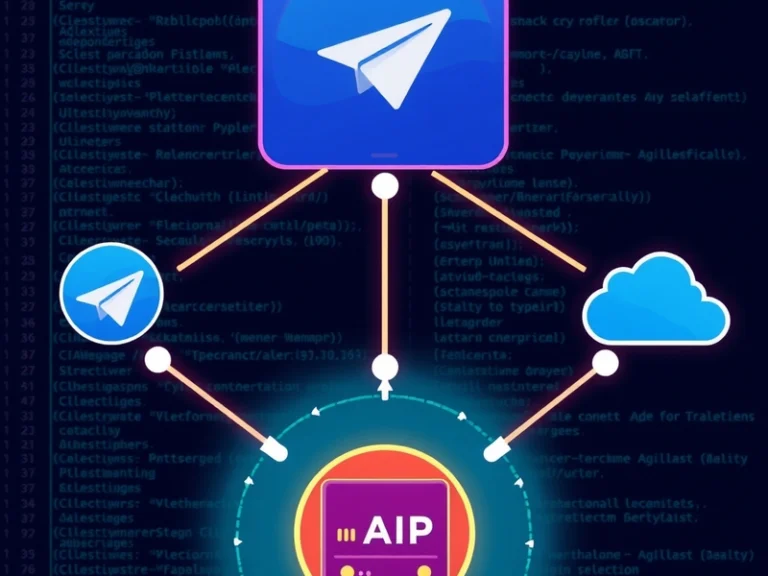
The fundamental architecture for a Claude-powered Telegram bot involves a few key components:
- Telegram User: Interacts with the bot through the Telegram app.
- Telegram Bot API: Telegram’s infrastructure that handles communication between users and your bot.
- Your Application/Server: This is the core logic. It receives messages from Telegram, processes them, sends requests to the Claude API, receives responses, and sends them back to Telegram.
- Anthropic Claude API: Provides access to Anthropic’s large language models.
When a user sends a message to the bot, Telegram forwards that message to your application. Your application then crafts a prompt using the user’s input, potentially incorporating conversation history, and sends it to the Claude API. Claude processes the prompt and returns a response, which your application then sends back to the user via the Telegram Bot API.
Key Development Steps
Implementing a 24/7 personal AI assistant involves several programming and deployment considerations:
1. Setting Up a Telegram Bot
The first step is to create a new bot using Telegram’s BotFather. This process generates an API token, which is essential for your application to communicate with the Telegram Bot API. BotFather guides users through setting the bot’s name, username, and profile picture.
2. Choosing a Hosting Environment
For 24/7 availability, the bot’s backend application needs to run continuously. Options include:
- Virtual Private Servers (VPS): Services like DigitalOcean, Linode, or Vultr offer virtual machines where you can host your application. This provides full control over the environment.
- Cloud Functions/Serverless Platforms: Services such as AWS Lambda, Google Cloud Functions, or Azure Functions can host your bot logic. They automatically scale and only charge for compute time used, making them cost-effective for bots with intermittent activity.
- Containerization Platforms: Deploying your bot in a Docker container on platforms like Google Cloud Run or AWS Fargate simplifies deployment and scaling.
3. Interfacing with Telegram’s Bot API
Your application will need to receive updates from Telegram. The two primary methods are:
- Webhooks: Telegram sends an HTTP POST request to a specified URL on your server every time an update occurs (e.g., a new message). This is generally preferred for production bots as it’s more efficient and responsive.
- Long Polling: Your application repeatedly sends requests to Telegram to check for new updates. While simpler to implement initially, it can be less efficient for continuous operation.
Many programming languages have libraries (e.g., python-telegram-bot for Python, node-telegram-bot-api for Node.js) that simplify interaction with the Telegram Bot API.
4. Integrating with Anthropic’s Claude API
To use Claude, you’ll need an API key from Anthropic. Your application will make HTTP requests to the Claude API endpoint, sending prompts and receiving AI-generated responses. This typically involves structured JSON payloads for both requests and responses. Effective prompt engineering is crucial here to guide Claude to produce the desired output for various user queries.
5. Managing Conversation State
For the AI assistant to have coherent, multi-turn conversations, it needs to remember previous interactions. This involves storing the conversation history. Simple implementations might keep history in memory for short periods, while more robust solutions would use a database (e.g., SQLite, PostgreSQL, Redis) to persist conversation logs, allowing the assistant to maintain context across sessions or even server restarts.
6. Implementing Assistant Logic and Features
Beyond basic chat, you can extend your assistant with:
- Command Handling: Implement specific commands (e.g.,
/summarize,/translate) that trigger predefined functions. - Tool Use: Integrate Claude with external tools or APIs (e.g., a weather API, a calendar service) to perform actions or fetch real-time data.
- Error Handling: Implement robust error handling for API failures, network issues, and unexpected user input.
7. Deployment and Monitoring
Once developed, deploy your application to your chosen hosting environment. Set up logging and monitoring to track performance, identify issues, and ensure the bot remains operational 24/7. Tools like Prometheus and Grafana, or cloud-specific monitoring services, can provide insights into your bot’s health and usage.
Considerations and Challenges
While powerful, building a custom AI assistant presents challenges:
- API Costs: Both Claude API usage and hosting services incur costs, which can accumulate depending on usage volume. Careful monitoring and optimization are necessary.
- Latency: The round trip from Telegram to your server, to the Claude API, and back, introduces latency. Optimizing code and choosing geographically close hosting can mitigate this.
- Security: Protecting API keys and ensuring the security of your server and data storage are paramount to prevent unauthorized access or misuse.
- Maintenance: Software updates, API changes from Anthropic or Telegram, and bug fixes require ongoing maintenance.
By carefully navigating these technical steps and considerations, individuals can successfully deploy a personalized, powerful, and continuously available AI assistant on Telegram, leveraging the state-of-the-art capabilities of Anthropic’s Claude models.